A field guide
Building apps with Claude, for people who don't code.
Most of what's on this site I built by talking to Claude, usually on my phone. The second half of this guide is how I actually do it. The first half is the setup I wish someone had walked me through.
If you get to the end you'll have a site with your name on it and a thing on it you made. Along the way: your idea checked for whether it's a good first build, a small app made in Claude, and the first rough version of your idea on your phone, reviewed and tested.
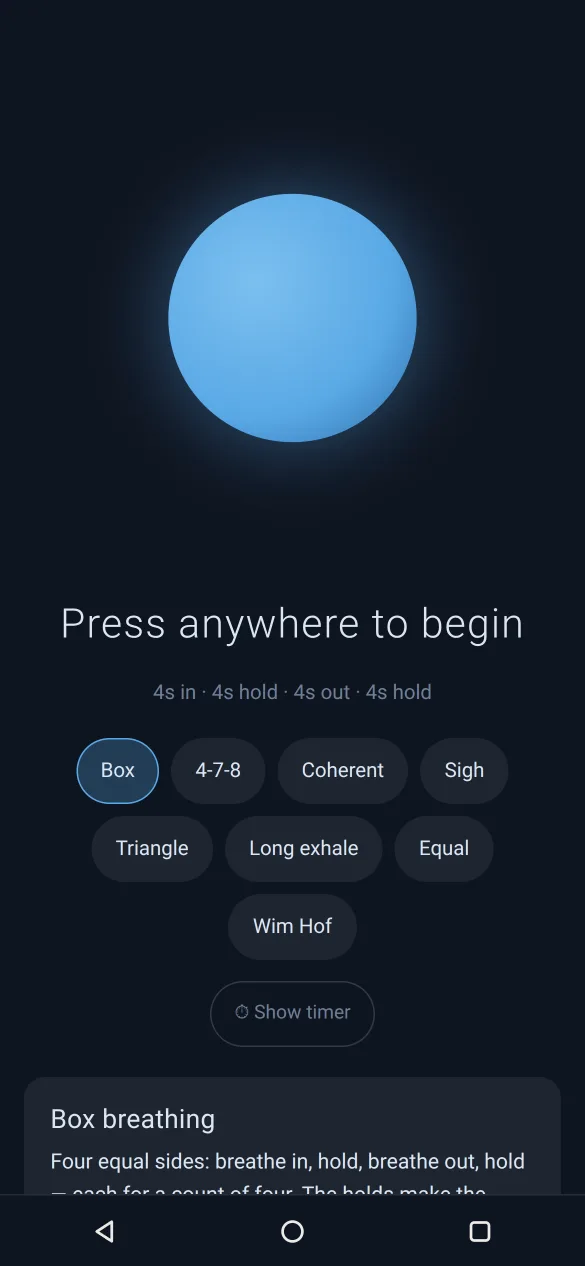 Breathe
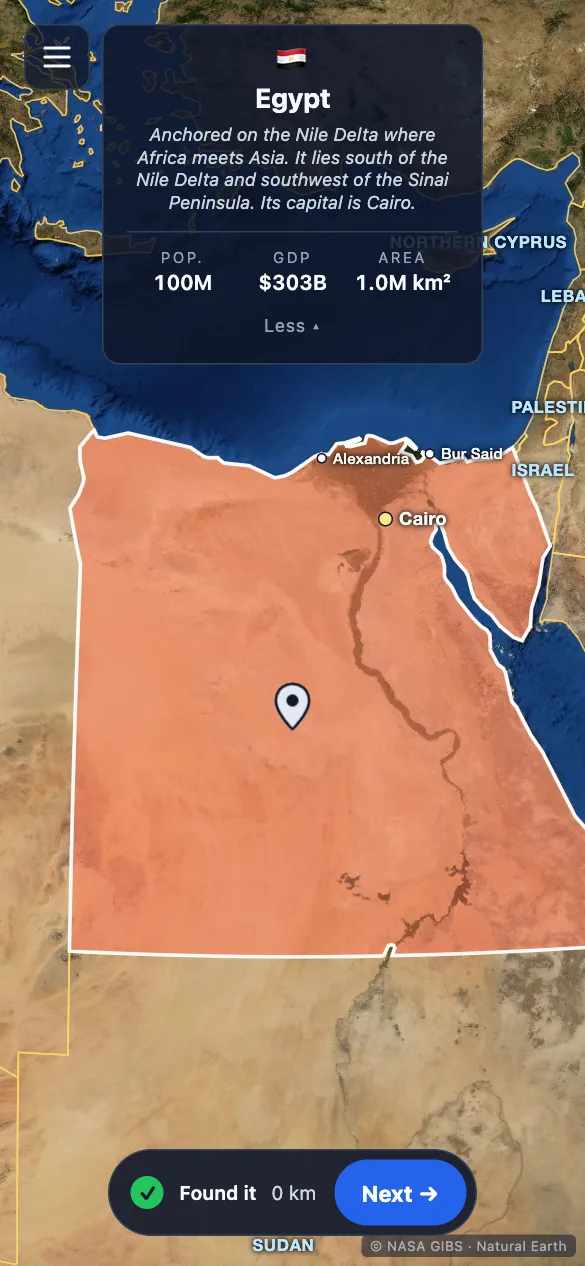 Wayfind
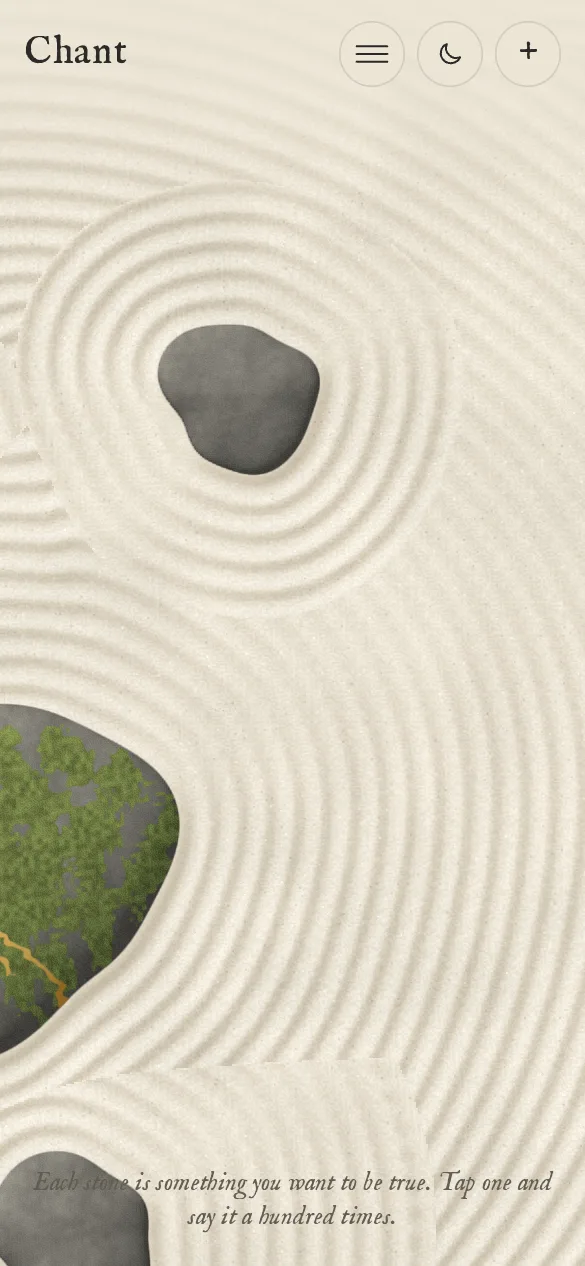 Chant
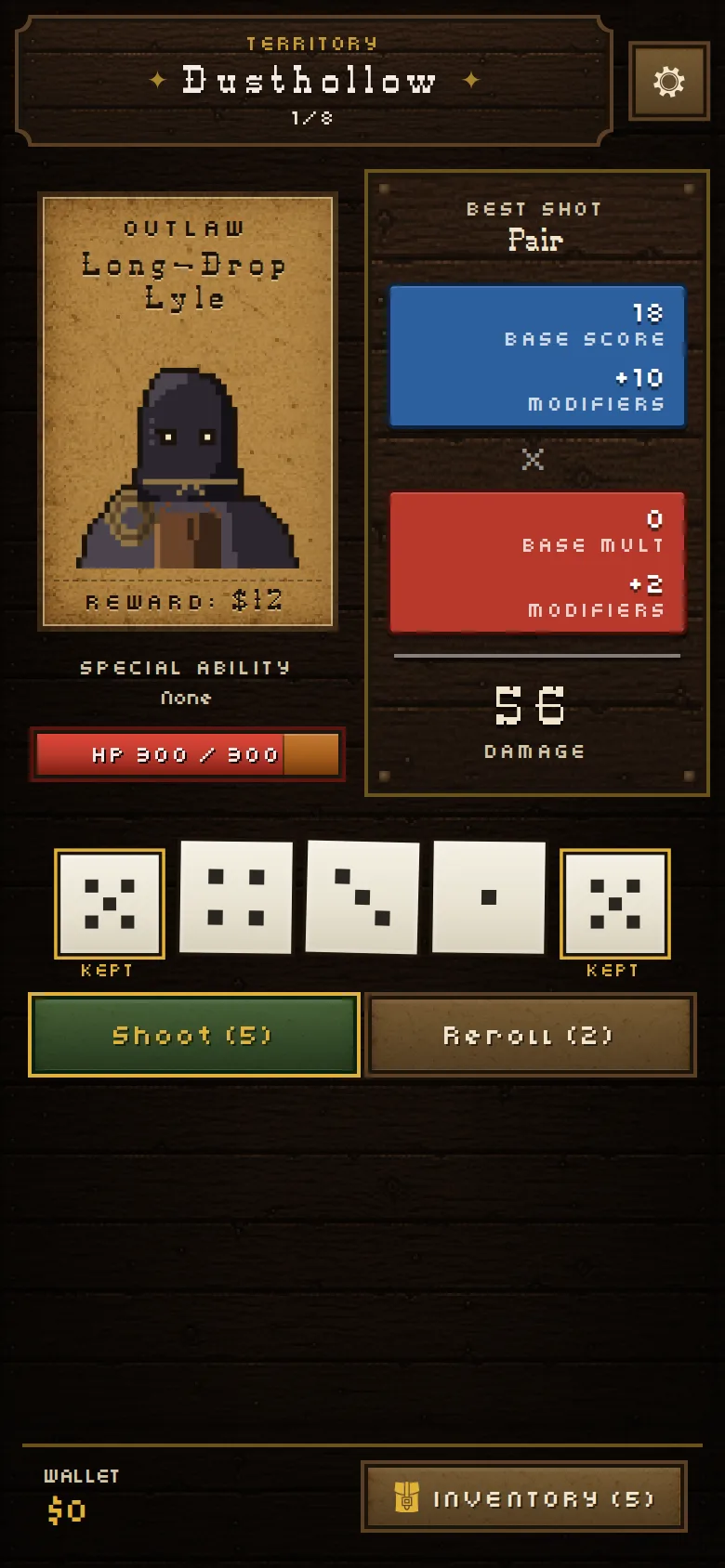 Die Loaded
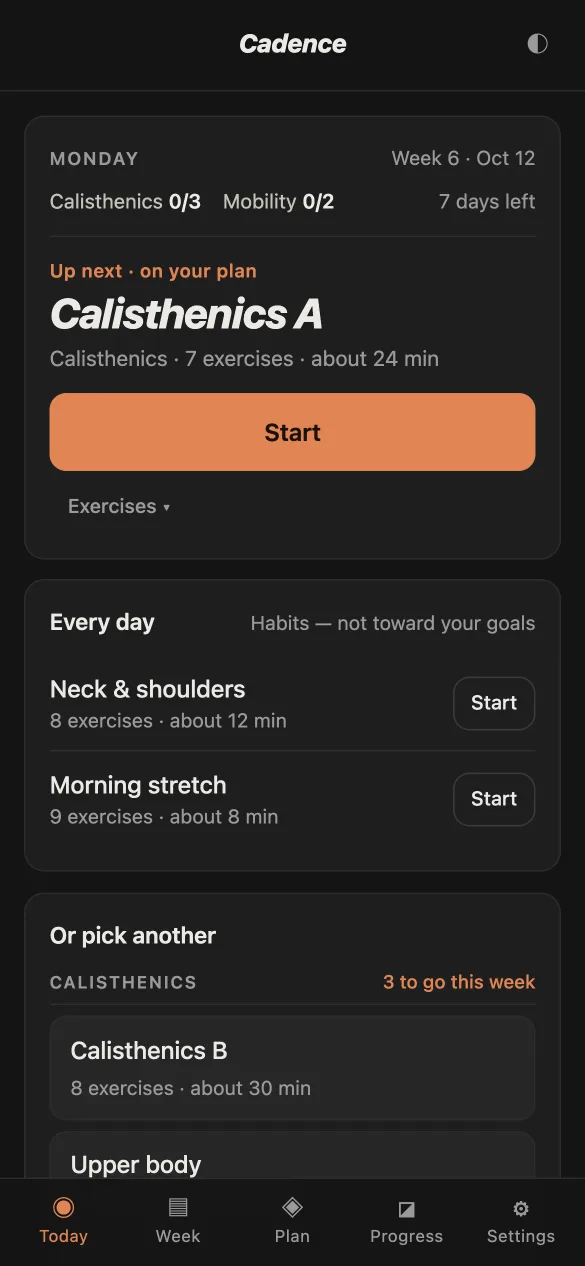 Cadence
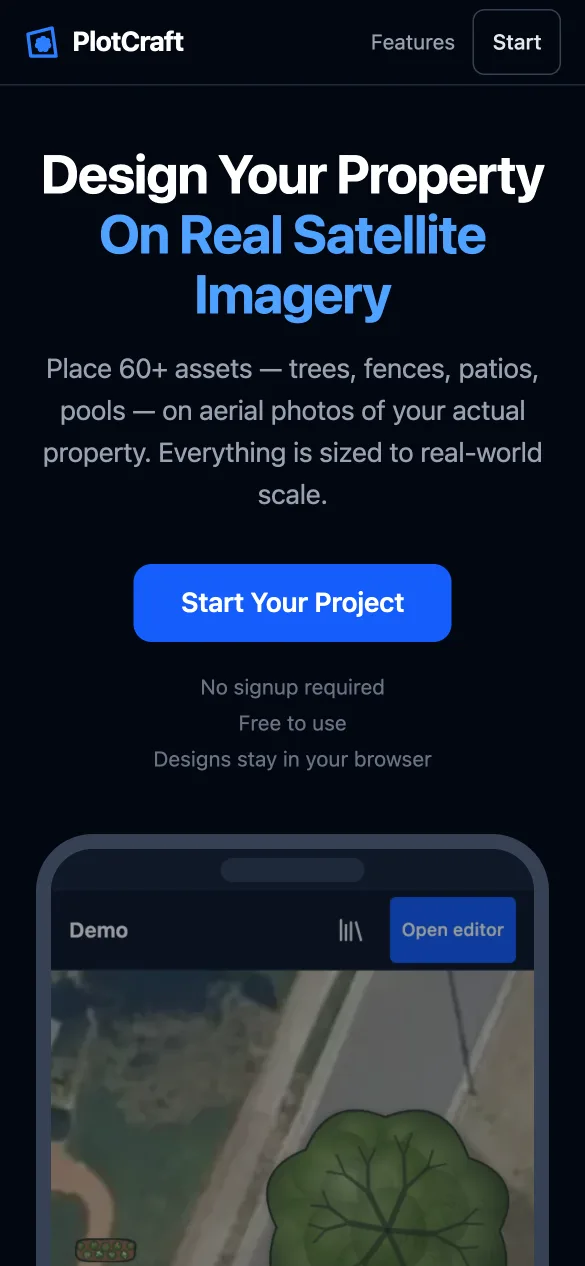 PlotCraft
Each of these started as a sentence typed to Claude.
What you need
- A phone is enough to start. You can build and try apps in the Claude app.
- You'll want a computer for two things: getting a shareable link for an app made in the Claude app (that button isn't in the phone app yet), and the one-time setup for your own website. A library computer works fine. Everything else works on a phone.
- Money: nothing to start. Your own website needs Claude Pro, $20 a month. The rest is free.
How long it takes
Reading the whole guide takes 20 to 40 minutes. Making your first app takes about 30 minutes. Setting up your own website takes an hour or two the first time, more if something snags, and it's fine to split it over two sittings. There's a You can stop here note wherever that's true. Your ticks and your idea are saved on the device you're reading on, so if you start on your phone and finish on a computer, you'll retype your idea once.
In a hurry?
Read Background, do level 0 of First session, read Staying safe, and keep the card at the end. Come back for the rest when you want your own site.
Anything shown like this
is something to type to Claude, in those words or your own. Quotes marked From my history are real messages I've sent Claude, with typos fixed.
Background
Is your idea a good first build?
The easiest apps are the ones that need the least from outside your own device. Try your idea against this quiz. No idea yet? Skip the box, or pick one later from the starters in First session.
Making something for other people, like a class or a club, doesn't make it red by itself. What matters is whether the app holds their details. A spelling quiz with no pupil names in it is green. The same quiz keeping each child's scores on their own device is still green. One that collects every child's scores in one place is red.
This quiz needs JavaScript.
The three tiers
What decides the tier is where the data lives.
Green: start here
Runs in the browser, and the data stays on the person's own device. No accounts and no server. Timers, trackers, games, quizzes, a recipe book, a story, a gift for one person.
On this site: Breathe, Cadence, Container Compound, WordGirl.
Yellow: doable with care
Leans on outside data or a free service, or is just big. A public archive, maps and satellite images, the microphone, encryption, a full game.
On this site: Wayfind (NASA's free map tiles), PlotCraft, Public Screening, Ephemera, Chant, Sock Puppet, Ledger, Die Loaded.
Red: not for a first build
Needs a server, or holds other people's stuff. Live multiplayer, data shared between users, logins, payments, anyone's health or money or kids' details. All possible later on. Your third or fourth project could be one.
On this site: Jellybrawl and Starlock. Both connect players' phones through a small server function.
What is an LLM?
An LLM (large language model) is the kind of AI that Claude, ChatGPT and Gemini are: a program trained on a huge amount of text, including a lot of code. When people say "AI" in this guide, this is what they mean. It's trained to guess the next word. It turns out that if it gets really good at that, it can also explain, plan and write software.
How it writes, one word at a time
Two things worth knowing:
- Each new session starts fresh unless something is written down for it. Projects keep a plain-text notes file for this, called
CLAUDE.md. Claude writes it for you. - It makes mistakes, and it only knows what you tell it. Vague asks get generic results, and a confident answer isn't proof. Give it your own word list, your own rules, and then use what it built.
Getting set up
The four services
To start, you only need Claude. Most of the finished apps on this site use the first three.
The builder
Claude (Claude Code)
The AI that writes the app. Small apps can be made in a regular chat, even on the free plan. Claude Code, the version that works on a real project, comes with a paid plan.
The memory
GitHub
Where the project's files are kept. Every change is saved, so you can always go back.
The hosting
Netlify
Puts the app on the internet. Connect it to GitHub once, and each change you accept goes live a few minutes later. It also makes a preview of every proposed change, with its own link, so you can try it on your phone first.
The server (only if needed)
DigitalOcean
A rented computer that's always on, for things that keep running while nobody has the app open, like a multiplayer game server or jobs on a schedule. I use one for Volatrick. You can get a long way without one: everything else on this site, some of it fairly complex, runs with no server at all.
What this actually costs
I pay for Claude and a server for one game. Everything else I use is on a free plan.
| Service | Free | Paid | When you hit a limit |
|---|---|---|---|
| Claude | Chats and small apps (level 0). No Claude Code. | Pro: $20 a month, or $200 a year. Includes Claude Code. | Every plan has a limit that resets every few hours; paid plans add a weekly one. Claude tells you when it resets, and you can carry on in the same session afterwards. You're not charged extra unless you turn that on in Settings, then Usage. If you do, set a monthly cap there. |
| GitHub | Unlimited public and private repos. No card needed. | Not needed for this guide. | Automated checks on private repos: 2,000 minutes a month, which is several hundred runs if the checks are set up to run only when needed (the Test chapter's prompt asks for that). Then they stop until next month. No card, no charge. |
| Netlify | 300 credits a month. A live update uses 15 (about 20 a month). Previews are free. No card needed. | From $9 a month. | Your sites pause until next month. No charge. |
| Domain | Optional. About $10 to $20 a year. | Renews yearly. Turn off auto-renew if you don't want it. | |
| DigitalOcean | Only for always-on servers. From about $4 to $6 a month, card needed. | Billed for what you use. Delete servers you're done with. | |
Checked October 2026 against Claude's pricing, GitHub's pricing and Netlify's docs. Prices change, so check again.
To cancel Claude Pro: Settings, then Billing. It stays on until the end of the month you paid for.
Which services does my app need?
This picker needs JavaScript.
Check everything your app needs to do.
Getting set up
Your first session, one screen at a time
It's hard to break anything for good here. GitHub keeps every version of your files, so a bad change can be undone. What can't be undone: sharing a password or someone's personal details, deleting the project itself, and data an app saved on a phone if that phone clears it.
There are two levels. Level 0 takes about 30 minutes and needs only a Claude account. Level 1 gives you your own website. Do level 0 first, even if you're sure you want level 1.
The screens below are drawings of what Claude, GitHub and Netlify will show you on their own sites. Nothing on this page is a form to fill in. The real screens have more on them and may look a little different; look for the highlighted part.
Level 0: make something in the Claude app
No GitHub, no hosting, and the free plan works. You get a working app and a link you can send people.
- Pick what to make. Your own idea, or one of these. Small is good. You can grow it later.
- Open Claude in the app or at claude.ai, and start a new chat. Sign up with your email if you haven't.
Make a tip calculator I can use on my phone…Reply to Claude…
On Claude's site or app: your prompt in the box, then the send button. - Send this prompt. It already has your idea in it.
Prompt · your first app
Make [one sentence about your idea], the smallest version, as an interactive artifact I can use on my phone. Big buttons I can tap with one thumb. Use made-up example data, not real names.
"Artifact" is Claude's word for an app that runs inside the chat. "Made-up data" means no real people. Your own lesson content, a word list or a recipe, is fine to paste.
- Watch it appear. The app shows up next to the chat. On a phone, tap it to open it. It works right away, so try it.
Tip calculatorBill$48.0015%18%20%Split123$28.80 each
In Claude: the app it made, running. A tip calculator here; yours will be your idea. - Mess with it. Change it by asking, and don't be careful about it. Try
make it a game
,make it look like 1995
,add a sound when I tap
, ormake it for a 6-year-old
. If you don't like a change, tell Claudeundo that
. Mine were all ugly at this point. - Share it, from a computer. Open the same chat at claude.ai, open the app and press Publish (it may say Share), then copy the link. Anyone can open it, no account needed. The phone app can't do this step yet. Anything in the app becomes public, so keep personal info out of it. To take it down later, the same button has an Unpublish option.
My appPublishAnyone with the link can use it.claude.ai/public/…Copy link
In Claude on a computer: the Publish (or Share) button, then Copy link.
Better with someone
- Build it together. One person holds the phone and tries it, the other types the asks. Swap.
- Remix. Open something a friend published, or an app on this site you like, and ask Claude for your own version:
make something like Breathe, but for practicing scales on the piano
.
Before you move on: what did you have to ask for more than once? Write it down. That's your first rule for a project's notes file.
An app made in chat usually can't remember anything between visits, and it lives inside Claude. When you want your own web address, or an app that grows over many sessions, move up to level 1.
You can stop here. You made an app.
Words you'll meet in level 1
- Repository (repo)
- Your project's folder on GitHub, with every version saved.
- Pull request (PR)
- A proposed change, waiting for you to accept it.
- Merge
- Accepting a pull request into the real project.
- Preview
- A link to a proposed change, so you can try it first. It's unlisted, not private: anyone with the link can open it.
- Checks
- Tests that run by themselves on every change. Green means they passed, a red X means something failed.
- Deploy
- Putting the latest version live.
- Two-factor login
- A second check when you sign in, like a code from an app on your phone.
Level 1: your own site
This needs Claude Pro ($20 a month, or $200 a year, and it renews until you cancel it in Settings, then Billing). GitHub and Netlify are free and don't ask for a card. Seven steps, an hour or two the first time. Steps 1 and 2 one day and the rest the next works fine. Most of the clicking only happens once, and next year you just open Claude Code again and carry on.
- Make a GitHub account (about 10 minutes). GitHub is where your project's files are kept. Go to github.com/signup. Type your email, a password and a username (it shows up in your project's address, so pick something you're happy with), then press Continue. Or press Continue with Google or Apple instead.
Sign up for GitHubEmailyou@example.comPassword••••••••••Usernameyour-nameContinueor continue with Google / Apple
On github.com: the sign-up form. After Continue comes a puzzle, then a code by email. What you'll see
- A short puzzle to check you're a person. Follow its instructions.
- An email from GitHub with an 8-digit code. Type it in. If it isn't there in a minute, check spam.
- Maybe a few questions about how you'll use GitHub. You can skip them.
- Your GitHub home page. Done.
Enter codeWe sent a code to you@example.com4815027_Didn't get it? Check spam.On github.com: where you type the code from GitHub's email. (These digits are made up.) Some time in the next few weeks, GitHub may ask you to turn on two-factor login: a second check when you sign in, using a code from an app like Google Authenticator, or a passkey on your phone. It takes about five minutes. Do it when asked, and save the recovery codes it gives you somewhere safe.
- Make an empty project (2 minutes). GitHub calls a project a repository, or repo. Go to github.com/new. Type a name with no spaces, like
my-first-app. Choose Private. Switch Add README on. Press Create repository. Ignore everything else on the page.Create a new repositoryRepository namemy-first-appVisibilityPrivateAdd READMECreate repositoryOn github.com/new: name it, choose Private, switch Add README on, then Create repository. What you'll see
- A page with your project's name at the top and one file,
README.md. That's your repo.
Private is free. Only you, and the apps you connect (Claude and Netlify), can see the files. The website you make from them can still be seen by anyone with its link. Private repos get 2,000 free minutes of automated checks a month, which is several hundred runs; see the costs table if you're curious.
- A page with your project's name at the top and one file,
- Open Claude Code and connect GitHub (5 minutes). If you're on the free plan, upgrade first: in Claude, open Settings, then Billing, and pick Pro. Claude Code is a separate screen in the same app and site, where Claude works on the files in a repo instead of in a chat (your level 0 chat stays where it was). In the Claude app tap Code, or go to claude.ai/code. Press Connect GitHub, and on GitHub's page press Authorize.
Claude CodeConnect GitHub so Claude can work on your projects.Connect GitHub
On claude.ai/code: the Connect GitHub button. GitHub then asks you to Authorize. Because your repo is Private, Claude also needs the Claude GitHub app. When it offers to install it (or go to github.com/apps/claude and press Install), choose Only select repositories, pick
my-first-app, and press Install. That lets Claude see this one project and nothing else.Install ClaudeAll repositoriesOnly select repositoriesmy-first-appInstallOn github.com: the Claude app's install page. Only select repositories, pick yours, Install. - Ask for your first page (5 to 10 minutes of Claude working). Under the message box are two small menus. The first is your repos: pick yours. The second is the mode. Leave it as it is. (Plan mode makes Claude write a plan and wait for your OK before it touches anything, which is useful later but slower now.) Paste the prompt below and send it.
Make a one-page…your-name/my-first-appAuto
On claude.ai/code: under the message box, your repo on the left and the mode on the right. Prompt · your first page
Make [one sentence about your idea] in this repo, as one page of plain HTML, CSS and JavaScript (no build step: just files a browser can open). It should fit on a phone screen with big, easy-to-tap buttons. Use made-up example data.
HTML, CSS and JavaScript are the three kinds of file a web page is made of. You don't need to know more than that; the line tells Claude to keep it simple.
What you'll see
- Claude's messages as it works: reading the empty project, writing files, sometimes checking its own work. You can close the app; it keeps going.
- Maybe a permission question. Yes if it's reading or changing files in this repo, or running its own tests. Ask first if it mentions deleting, your account, other repos, installing something, or sending data somewhere.
- When it's done: a short summary, a count like +214 −0 (lines of code added and removed), and a Create PR button.
Done. I made index.html, style.css and app.js. It fits a phone screen and the buttons are 64px.+214 −0 3 filesCreate PROn claude.ai/code when it finishes: a summary, what changed, and Create PR. - Make it a pull request and merge it (3 minutes). Press Create PR. A pull request is the change, waiting for you to accept it. Claude shows a link to it; press that, and GitHub opens the pull request's page. Tap Files changed and skim: you should see only files that belong to your app. Then come back to Claude and say
merge it
. If it says it can't, use the green Merge pull request button on that GitHub page, then Confirm merge. Merge means accept it into the real project.Add my first app #1Open · 3 files changedConversationFiles changedMerge pull requestthen Confirm mergeOn github.com: the pull request. Skim Files changed, then the green button. - Put it online with Netlify (10 minutes). Go to app.netlify.com/signup and choose Sign up with GitHub, then Authorize. Choose Add new project, then Import an existing project, then GitHub.
Add new project ▾
On app.netlify.com: Add new project, then Import an existing project. Deploy my-first-appBuild commandleave emptyPublish directoryleave emptyDeployOn app.netlify.com: the settings page. Leave both empty and press Deploy. What you'll see
- GitHub asks which repositories Netlify can see. Choose Only select repositories, pick
my-first-app, and press Install. - Back on Netlify, a list with your repo in it. Pick it.
- A settings page. Leave the build command and publish directory empty, and press Deploy (it may say Publish).
- A progress page for a minute or two, then "Published".
Netlify's free plan deploys private repos that belong to your own account. Repos that belong to a GitHub organization need a paid Netlify plan, so keep it in your own account.
- GitHub asks which repositories Netlify can see. Choose Only select repositories, pick
- Open it on your phone. Your address is at the top of Netlify's page for the project, something like
my-first-app-1234.netlify.app. You can give it a nicer name later in the project's settings. Open it on your phone. That's your own site, and every change you merge from now on shows up there by itself.From now on, every new pull request gets a comment from Netlify with a Deploy Preview link. That's where you try a change on your phone before you merge it. The preview is a normal web link, so don't put real data in it either.
Tip calculatorBill$48.0015%18%20%Split123$28.80 eachYour own site, open on your phone at its netlify.app address.
Stuck on a screen? Take a screenshot and send it to Claude in a regular chat with I'm setting up GitHub for the first time and I'm stuck here. What do I tap?
Crop out anything personal first.
After that, every change goes like this
- You ask
make the breathing circle bigger
- Claude changes the filesand runs the tests
- GitHub saves it as a pull requesta proposed change, nothing live yet
- Netlify builds a preview linkyou try it on your phone
- You say
review and merge
- It's live for everyoneusually minutes after you asked
You'll see these. They're normal.
Claude asks permission to run something.
That's how it tests its work. Yes if it's about files in this repo or its own tests; if it mentions anything else, ask Claude what will this do?
Why?
A permission is Claude asking to act outside the files it was given: run a program, reach another service, change a setting. Inside the repo, the worst case is a change you can undo. Outside it, you want to know what it touches before saying yes.
A red X next to a check, or "deploy failed".
Something didn't build. Copy what it says and paste it to Claude: The deploy failed. Here's the message: … Fix it.
Error messages are fine to share. Just check one doesn't include a password or key.
Why?
A password or key lets anyone who has it act as you: spend on your card, read your mail, change your site. Once it's in a chat it is on Anthropic's servers and in your history, out of your control. In a public repo it is on the open internet, where programs scan for exactly that within minutes, and GitHub keeps every old version, so deleting it later doesn't take it back. A build log sometimes prints the settings it ran with, so skim for a long random string before you paste one.
The live page is blank, or still shows the old version.
Wait a couple of minutes and reload. If it's still wrong, tell Claude: The live page is blank on my phone. Find out why and fix it.
Why?
Why wait: merging doesn't change the live site on the spot. Netlify has to build it and push the new version out to its servers around the world, which takes a minute or two, and your phone may keep showing the copy it saved until you reload. Why then tell Claude: a page still blank after that usually has an error the moment it loads, which Claude can read from the browser and the deploy log in seconds.
Claude says you've reached your usage limit.
It shows when the limit resets, usually within a few hours. Wait, then carry on in the same session.
Why?
Why the same session: a session is Claude's memory of this job, the files it has read, what you asked for, what it tried and what went wrong. A new session starts with none of that and has to work it all out again, which costs you time and some of the limit you just waited for. The limit itself is a cap on how much Claude will do in a window of a few hours, and a long build can reach it; it resets on its own.
Netlify says the site is paused.
You've used the free plan's monthly credits. It comes back next month, and it never charges you.
Why?
Netlify's free plan gives you a monthly allowance of credits and each deploy spends a few. When they run out, the site pauses rather than billing you, because there is no card on file. Fewer, bigger merges spend fewer credits than many tiny ones.
You can stop here. Your site is live. Honestly, most people should.
Getting set up
Staying safe
Here's what I'd want someone to tell me before I pasted a password into a chat. If your app is green and you never paste a key, the parts that matter most are 2, 3 and 5.
1. Keep secrets out of everything
A secret is anything that lets someone act as you. A password. An API key, which is a password a service gives your app so it can use that service. A token, which is the same thing for a login. Or a file named .env, where programmers usually keep all of those.
- Don't paste secrets into a chat. Claude doesn't need to see a key to set it up. Ask where it goes and paste it there yourself.
- Never put a secret in your project's files. Even in a private repo, it sits in the history of every version.
- Never put a secret in the app itself. Anyone can read the code of a web page. A key belongs in a server function: a small piece of code that runs on Netlify's computers instead of in the browser, where the key is stored in the project's settings (Netlify calls these environment variables, and you can mark one as secret so it's hidden in logs). Ask Claude to set this up. If the key is for an AI service, set a monthly spending cap on it at that service.
- If one leaks, replace it right away. Go to the service that gave you the key and make a new one, which turns the old one off. Deleting the file isn't enough, because GitHub keeps every past version.
Prompt · check for secrets
Before I make this public, check the whole repo, including its history, for passwords, API keys, tokens, .env files and personal information. List what you find and where. Don't change anything yet.
2. Be careful with personal info
What you paste into Claude leaves your device and goes to Anthropic's servers. In Settings, then Privacy, there's a switch called Help improve Claude. On, your chats can be used to train future models and are kept for years. Off, they're kept for about a month and not used for training. Pick what you're comfortable with. Either way, some things don't belong in a chat or an app:
- Other people's information: names, addresses, phone numbers, messages, photos of them. Especially kids.
- Anything that could cost someone money or safety: health details, bank or card numbers, ID numbers, passwords.
- Screenshots with extra stuff in them. Crop out notifications, email addresses and account numbers before you send one.
When you need examples, use made-up ones. Tell Claude use fake names and numbers in the sample data
. A published app, a public repo and a website can all be seen by anyone with the link.
Safe to paste?
For each one, would you paste it into a chat with Claude?
This needs JavaScript.
3. Check its work
- It can be confidently wrong, about code and about facts. Use the thing and see.
- "I tested it" means it ran its own checks, not that it works on your phone. Open the preview yourself before you merge.
- It sometimes invents libraries that don't exist, and people have registered those made-up names to slip in harmful code. When it adds a library, ask
is this library well known? Give me a link to its page
. If it can't, saydon't use it
. - Ask Claude to explain. Before a merge, send it
What did you change, in plain words, and what could go wrong?
4. Know what it can touch
Claude Code can read and change every file in the repos you give it, run commands, and open and merge pull requests.
- Give it only what it needs. When GitHub asks which repositories to allow, choose Only select repositories.
- Say no to settings you don't understand. If Claude ever suggests turning off permission prompts, auto-merging, or "skipping checks" to go faster, say no.
- You can take access back. On GitHub, Settings, then Applications lists Claude and Netlify, with an Uninstall button each. On Netlify it's under Team, then Connected accounts.
- Watch for instructions hidden in content. A web page, file or comment can contain text written to steer an AI. This is called prompt injection. If Claude suddenly wants to do something you didn't ask for, like send data somewhere, install something unusual or change account settings, stop it and ask why.
5. Data that lives on a phone can disappear
An app that saves on the device (green tier) saves into the browser's storage. That's private, but it isn't permanent: clearing the browser's data wipes it, and iPhones can clear it themselves after a week without a visit. Two habits help. Have the app offer an Export button that saves a copy, and tell people to Add to Home Screen, which keeps it. If other people's children will use it: scores and progress with no names, on their own device, is still green. A name, a photo or anything else that identifies a child means the grown-ups need to know what it keeps. Collecting it all in one place is a different project (red tier).
Before anything goes public
- No passwords, keys or
.envfiles in the repo or the app. - No real personal info in the sample data, screenshots or text.
- You've used the preview yourself.
- If it collects anything from visitors, you know where that goes and who can see it, and you've told the people testing it.
You can stop here. That covers the setup.
The process
From idea to shipped
Once you can get a page live, the rest is going around this loop. Claude drew the wheel from how my projects tend to go. I don't think of it as seven steps, but this is roughly it, and every lap goes live as soon as you merge it.
The loop
Start your real project
Your idea gets its own project, separate from the practice one:
- Make a new Private repo named after your idea (level 1, step 2).
- In Claude Code, pick the new repo (step 4). That's where the next chapters' prompts go. If it isn't in the menu: Claude only sees the repos you picked for it. On github.com open Settings, then Applications, press Configure next to Claude, and add the new repo.
- Connect it to Netlify (step 6) now, before the prototype. That's what gives you the preview link on your phone. Netlify has the same repo list as Claude: add the new repo there too.
Following along with a different kind of app? The example through the next chapters is a chore chart for two kids on a tablet. Each stage also has a line for a quiz app, since that's the other thing people most often make first. Any phone or tablet works the same.
The process · 1
Let Claude interview you
Before you see how I do it, try it yourself. Your friend wants a chore chart for their kids. How would you ask Claude to make it?
Then go through the interview below and compare.
A sample interview
The idea: "a chore chart for my kids." Claude asks, you pick.
This demo needs JavaScript.
That's the method. Describe your idea loosely and ask Claude to interview you with multiple-choice questions. It asks about things you wouldn't have thought to decide, and the options show you what's possible. You still make every call. When none of the options fit, type your own answer. I still do this for every project, and I still get surprised by question three.
From my history
let's refresh the modern look of the hub. interview me to determine requirements
More from my history
I want to create a web/iOS app for studying geography, particularly for locating countries and cities on an unlabeled map. Interview me to create a PRD
style wise I'm not crazy about the current style - ask me multiple choice questions to refine requirements
What comes out is a short plan that opens with a table of your answers. The one for making this site installable as an app settled 25 decisions over two sessions. The first few:
| Goal | Launcher plus offline support. |
|---|---|
| Offline | Save the home page up front. Save each app on the site the first time it's opened. |
| Getting back | A bottom navbar with Back, Home and recently opened apps. |
| Updates | A "New ideas available" note. Never an automatic reload. |
Now do it with your idea
Paste this into Claude Code with your idea's repo picked.
Prompt · kick off an interview
I want to build [one sentence about your idea].

Before writing any code, interview me with multiple-choice questions to pin down the requirements: who it's for, what it does first, how it should look and feel, and what it should NOT do. A few questions at a time. When you have enough, write the requirements back to me as a short list for me to check. When I say it's right, save it as REQUIREMENTS.md in the repo.
Follow along: the chore chart · interview
YouI want to build a chore chart for my kids. Before writing any code, interview me with multiple-choice questions…
- Kids who can't read yet
- Ages 8–12
- Teens
- Something else: type it
- A shared tablet
- Each kid's device
- Your phone
- Something else: type it
YouKids who can't read yet. A shared tablet.
- Stars toward a reward
- Streaks
- Just ticking it off
- Something else: type it
YouStars toward a reward. No accounts, no sounds.
ClaudeRequirements: pictures, not words. One tablet, a column per kid. Each chore earns a star; 10 stars unlock a reward you set. Saves on the tablet. Should NOT: accounts, sounds, syncing. Anything to change?
YouPut the reset button behind a grown-up question like "what's 7 times 8". Then save this as REQUIREMENTS.md in the repo.
- A list you can check, saved in the project so every later session can read it. (A sum stops a five-year-old, not a teenager. Anything that really needs locking needs an account and a server, which is red tier.)
- For a quiz: the same questions give you the word list, whether it says the word aloud, and what "right" looks like.
You're done when a REQUIREMENTS.md you've checked, including what it should NOT do, is in the repo.
The process · 2
Look for what already exists
A lot of hard problems already have free code out there. Open source means code anyone can use, under a license that says how. A library is a packaged piece of it, like a physics engine, a map or an audio player, that your app can use. The license is the only part you need to care about. MIT, Apache and BSD are the names of the common ones that say "use this however you like, for free", and Claude checks this for you.
Have Claude research twice: right after the interview for the big pieces, and again whenever something turns out to be hard. Ask for libraries, techniques other people used, similar projects, and free data. Prefer small things that work offline without accounts, and projects people still maintain.
From my history
the pen tool for the roads/lot lines leaves a lot to be desired. are there any well supported libraries that handle pen/brush tools that we can integrate. an emphasis on user experience
What comes back (a sketch)
- perfect-freehand: turns finger or pen movement into smooth strokes. Does one thing.
MIT licensetinyRecommended
- Paper.js: a whole vector drawing toolkit. Powerful, but we'd use a sliver of it.
MIT licenselarge
- Write our own: full control, and weeks of edge cases.
no dependencyslow
Prompt · research before building
Before we build [one sentence about your idea], research what we can reuse. Look for:
- open-source libraries that do the hard parts
- techniques other people have used for the same problem
- similar projects worth learning from
- free public data or APIs we could use

Prefer permissive licenses (MIT, Apache, BSD), projects that are actively maintained, and things that are small and work offline without accounts. Give me a short ranked list with pros, cons and a link for each, and end with your recommendation.
Follow along: the chore chart · research
YouBefore we build the chore chart, research what we can reuse…
Claude1. No library needed for the chart itself: plain HTML is enough. 2. Pictures: an open icon set with an MIT license, so we don't draw 20 chore icons. 3. Saving: the browser's built-in storage, nothing to install. Recommendation: plain HTML plus one icon set.
YouGo with that. Add it to REQUIREMENTS.md.
- For a quiz: Claude will probably suggest a free voice (the browser can read words aloud by itself) and no library at all.
You're done when you have a short ranked list, each with a link and a license, and you've picked one, or decided you don't need one.
The process · 3
Rough, but working
This is what good enough looks like on day one. Drag to compare:
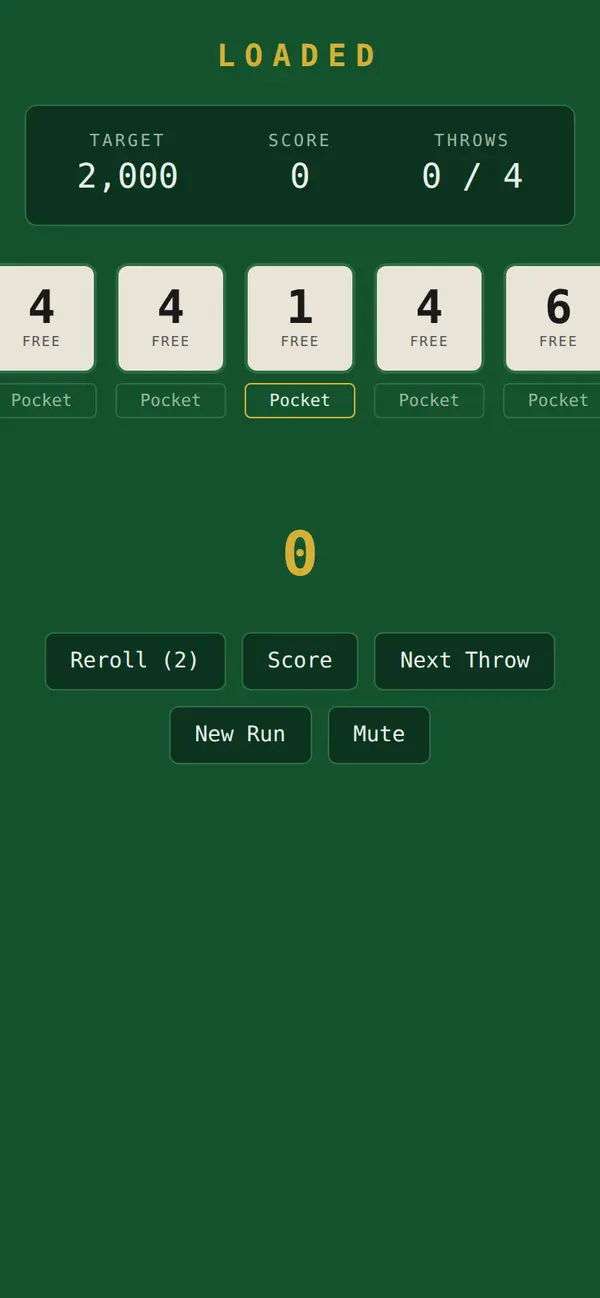
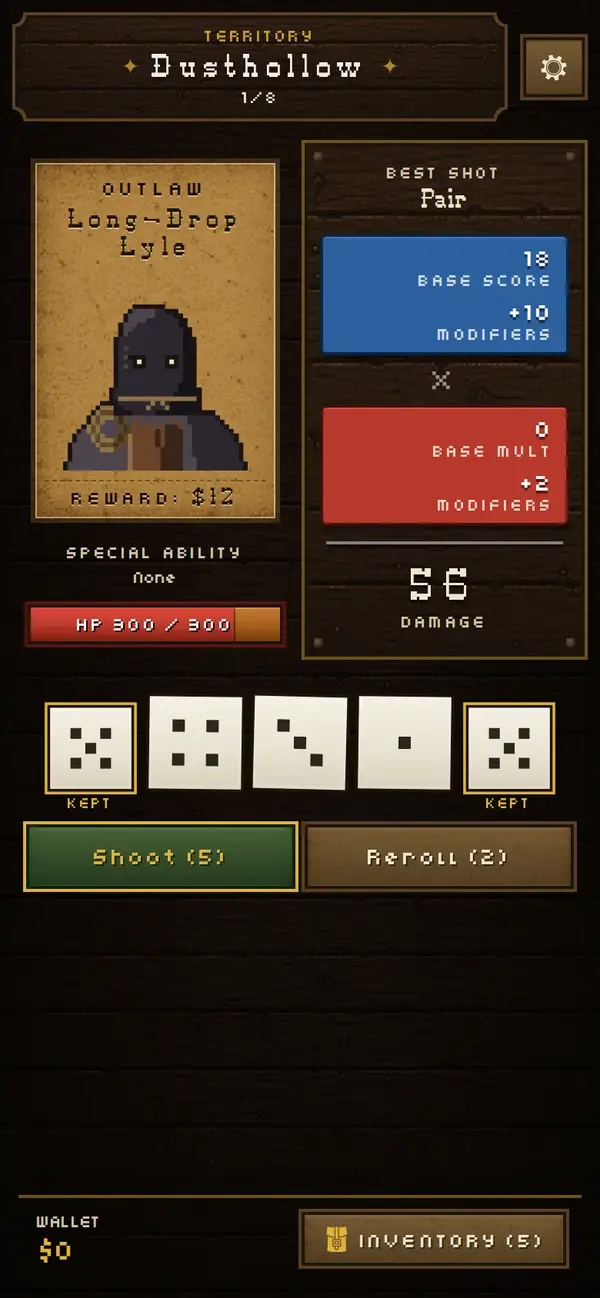 Day oneToday
The first version should be ugly and work. For anything bigger than a weekend, have Claude make a plan first and work through it in chunks, checking each chunk before moving on.
From my history
make a plan and a todo list, grouped logically, then step thru each group of todos reviewing before moving onto the next todo group
Made-up data, no keys in the files. See Staying safe.
Prompt · first prototype
Build the smallest version of [one sentence about your idea] that actually works, using REQUIREMENTS.md. Plain and rough is fine. Just the core thing, nothing extra. Use made-up sample data. When it's done, open a pull request so I can try the preview on my phone.
Follow along: the chore chart · prototype
YouBuild the smallest version of the chore chart that works, using REQUIREMENTS.md. Plain and rough is fine.
ClaudeDone. index.html, style.css and app.js: three columns, tap a chore to add a star, 10 stars shows the reward. +310 −0.
- Claude opens the pull request. A minute later Netlify adds a Deploy Preview link to it.
- You open the link on the tablet. It's plain, but tapping a chore adds a star.
- For a quiz: one word at a time, a Next button, and a count of right answers. That's enough for a first version.
You're done when the main thing works on your phone, from the preview link.
The process · 4
Refine in small asks
Use it on your phone from the preview link and notice what feels off. Then ask for one small, specific change at a time. Screenshots help a lot: attach one with the + (or paperclip) in the message box, same as in a chat.
From my history
I like the wedge, make the wedge the default but you can turn the timer on optionally
More from my history
here's the native overlay compared to ours
take a screenshot of the properties panel and clean up any visual inconsistencies
hmm toilet would be visible from the exterior door. put the toilet and shower behind the partition
Write your own small ask
Fill in the three parts. The prompt builds itself below.
Prompt · your small ask
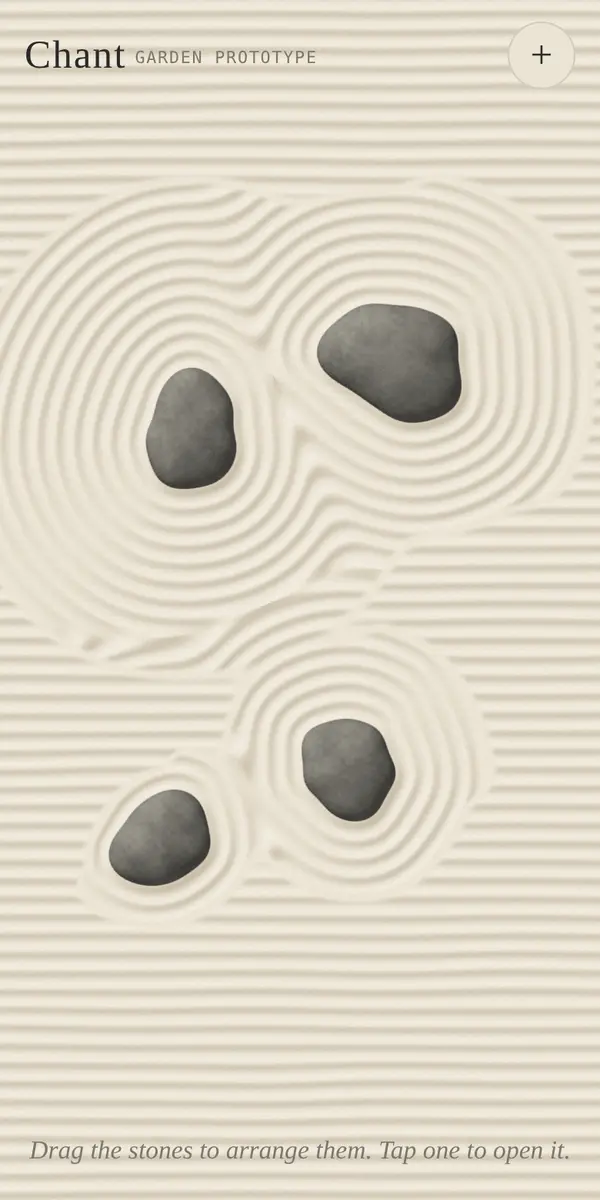
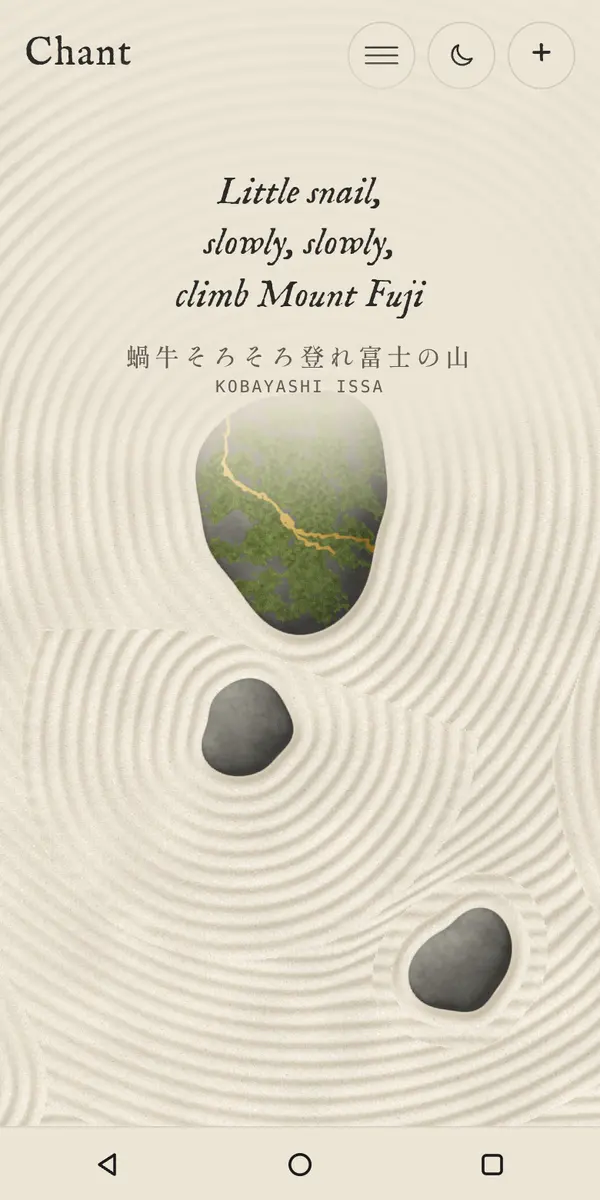 First buildToday
When something is hard to describe, ask for a tool to describe it with. My monitor's dimmest settings didn't match the laptop's, so I asked: Can you put it on a slider so I can tell you which slider value corresponds with the native mac display
. Then I just read the numbers off.
When you find yourself asking for the same thing twice, have Claude add it to CLAUDE.md, the project's notes file. Claude reads it at the start of every session. This site's says, among other things, "No emoji as graphics" and "Use relative URLs only."
Prompt · make a preference stick
Add this to CLAUDE.md so you follow it from now on: [your rule, e.g. "buttons are always at least 44px tall so they're easy to tap"].
Follow along: the chore chart · refine
You[screenshot] The star buttons are tiny for a 5-year-old. Make them twice as big. Only change that.
ClaudeMade the chore buttons 96px tall with bigger icons. 1 file changed.
YouAdd to CLAUDE.md: anything a kid taps is at least 64px.
- A new preview link. You check it on the tablet, then say
merge it
. - For a quiz:
show one word at a time with a big Next button
is the kind of ask this stage is made of.
You're done when you've made several small asks, and written at least one rule into CLAUDE.md.
The process · 5
Have Claude review it as a panel
Before anyone else sees it, ask Claude to review the work as several different people: a first-time visitor, someone who uses it every day, an accessibility expert, a picky designer. Each one uses the real app and comes back with a list of problems, worst first. Then you pick which ones to fix. They catch stuff you miss.
Chant's panel, sorted worst-first
From my history
in a new branch, multi persona review all of the copy on the site. Choose 4-6 relevant review personas to copywriting: senior copywriter, writer, ai critic, ai writing hater, etc
More from my history
review as an architect, a grounds designer, and a general user
do the factual fixes, random leftovers, and spelling sweep. … be mindful to avoid ai writing tells: em dashes, it's not x it's y, etc
The reviewers can be famous people, too: a well-known designer or an expert in whatever your app is about. Chant's panel found a bug where pressing Another round quietly added 100 reps.
Prompt · multi-persona review
Do a multi-persona review of [the app / this screen / all the copy]. Pick 4-6 reviewers who'd see different problems, for example: a first-time visitor on a phone, someone who uses it every day, an accessibility expert, a security reviewer looking for leaked keys and personal data, and [an expert in this field: for a classroom quiz, a primary school teacher]. Have each one actually use it, then give me one combined list ranked by how much it matters. Don't fix anything until I've picked.
Follow along: the chore chart · persona review
YouDo a multi-persona review: a 5-year-old, a tired parent, an accessibility expert, and a security reviewer. Ranked list, don't fix anything yet.
ClaudeHigh: the grown-up question is the same every time, and a kid will learn it in a day (5-year-old). High: if the browser clears its data, all stars are gone (parent). Medium: the kids' columns differ only by color (accessibility). Low: nothing leaves the device (security: fine).
YouFix the first and third. For the second, add an Export button and an "add to home screen" tip.
You're done when you've read the panel's list and picked which findings to fix.
The process · 6
Put it in front of people
Two kinds of testing. Real people, including you living with it every day. And automated checks that Claude writes, so that fixing one thing doesn't quietly break another.
From my history
user testing is a bit more involved than simply watching
When someone gets confused, that's your next ask. Write down what happened and give it to Claude.
Notes from a playtest, turned into asks (a sketch)
- Didn't see the Start buttonMake Start bigger and move it up
- Thought the score was a timerLabel the score
- Wanted to undo a moveAdd an undo button
Prompt · turn feedback into changes
I tested it with [who]. Here's what happened: [what they tried, where they got stuck, what they said]. Suggest the smallest changes that would fix this, as a list for me to pick from. Don't build anything yet.
Prompt · automated checks
Add automated tests that open the app in a real browser and check the main things still work: [list the core actions]. Run them on each pull request, and tell me in plain words if one fails. Keep the free minutes in mind: run only when the app's files change (not notes or pictures), cancel a run when a newer push replaces it, reuse installed packages between runs, and keep a run under two minutes. Tell me what a run costs in minutes.
What you'll see
- Claude adds a tests folder and a workflow file. From then on every pull request shows a check at the bottom: a green tick, or a red X.
- A red X: paste its message to Claude and ask what it means.
- Each run uses a few of GitHub's free minutes, and the setup above keeps it to a few. Without those lines, checks run on every push of every file and a busy month can use up the 2,000 in the cost table, which pauses your checks until next month. It happened to me.
- For a quiz: the core actions to put in the prompt are
the first word shows, Next moves on, the right-answer count goes up
.
After a test: what surprised you about watching someone else use it?
Then go around again
Back to refining, or back to the interview if what you learned changes what the app is.
Follow along: the chore chart · testing
YouI tested it with my 5-year-old. She tapped the picture to see what the chore was, not to finish it, and got a star by accident. Suggest the smallest fix, as options.
- Hold for one second to finish a chore
- Tap once to see it, tap a big check mark to finish
- Ask "Done?" after each tap
- Something else: type it
YouTap once to see it, tap a big check mark to finish.
- For a quiz: you'll find out which words it mispronounces, and whether the kids are guessing from the first letter.
You're done when someone else has used it, and you turned what you saw into asks.
The process · 7
It's live the whole time
With GitHub and Netlify connected, there's no launch day. Every change you merge (accept) is online a few minutes later. At that point you just send people the link.
Before you send the link: go through Before anything goes public.
From my history
review and merge
After you say "review and merge"
- Claude re-reads its own change
- Automated checks pass
- Merged
- Netlify puts it live
- Live on your site
After that it's the same loop, just slower. When something breaks, describe what you saw. Claude can read the check logs on GitHub itself; for a Netlify problem, paste in what Netlify shows you. If you want other people to add to it, they can: a public repo lets anyone suggest a change, and you still decide what gets merged.
Prompt · something broke
Something's broken: [what you did, what you expected, what happened instead, on which device]. Find the cause, fix it, and add a test so it can't come back.
Prompt · undo a change
The last change made [what got worse]. Undo it, open a pull request for the undo, and tell me what it changed back.
Follow along: the chore chart · ship
You[two weeks later] My partner says the reward never shows up on her phone, only on the tablet.
ClaudeStars save on each device separately, so her phone has its own count. That's by design (nothing leaves the device). Options: (a) say so on the screen, (b) add the Export/Import buttons from the review so the tablet's stars can be loaded on her phone.
Youa for now. Review and merge.
- A few minutes later the tablet shows a line under the stars: "Stars live on this device."
- For a quiz: the first thing that breaks is usually a word that's spelled two ways. Ask Claude to fix it in the word list, not the code:
change X to Y in the word list
.
You're done when you've been through the safety list and sent someone the link.
You can stop here. You've been all the way around the loop.
Pitfalls
What would you do?
When Claude interviewed me for this guide, it asked where people go wrong most. My answer:
Not thinking through requirements, and outsourcing too many decisions to the AI.
Claude is fast enough that it's tempting to say "build it" and take whatever comes back. You'll get an app, but Claude made most of the choices. Messing around is fine. For something you mean to keep, get interviewed first.
Six situations you'll run into. Pick what you'd do.
Signs you're out of your depth
You can't say in plain words what the last change did.
Don't merge. Ask Claude explain what you changed and why, simply
.
Why?
Merging is the moment a change becomes the real site. If you can't say what it does, you can't tell whether it did it, and a problem that surfaces later is harder to trace back. One plain explanation now costs a minute; untangling two or three unexplained changes later costs an evening.
It needs payments, logins, or data from lots of people in one place.
That's red tier. Make a version without it first. If you don't know anyone who's done it, ask Claude in a plain chat what would I need to learn before trying this?
and decide after reading the answer.
Why?
Payments, logins and shared data each bring a duty to other people: their money, their accounts, their details. Those are the things that are hard to undo when they go wrong, and the parts of an app where a beginner can't yet judge whether Claude's work is safe. A version without them is still useful, and it teaches you enough to judge the rest.
A permission prompt you don't understand.
Say no, and ask Claude what will this do?
Why?
No is always safe: Claude stops and explains, and you can say yes afterwards. Yes to something you don't understand is how a tool gets to run a command, or reach a service, that you never meant to allow.
Checklist
The card
The whole guide on one card. Take a screenshot, or print it.
Field Guide · the card
Things I keep having to relearn
- Get interviewed before it builds.
- Start green: small, and on your own device.
- One small, specific ask at a time.
- No secrets or real personal info. Use fake data.
- Try the preview yourself before you merge.
- Asked twice? Put it in CLAUDE.md.
Prompts I use most
interview me with multiple-choice questions
research what we can reuse, ranked, with a pick
only change that
add this to CLAUDE.md
do a multi-persona review
review and merge
Your checklist
Ticks are saved on this device only. On a shared computer, print it instead.
Look back
What did you keep asking for? What would you make next? Claude can help you see it:
Prompt · look back
Look back at this project's history and tell me, in plain words, what I kept asking for and what I learned. Suggest two or three rules for CLAUDE.md based on it.