
Klay
A lump of clay to push and pull into anything
Open
Free, in the browser.
Nothing to install or sign up for.
Nothing to install or sign up for.
Tools
7
Pull to Measure
Kinds of clay
3
mesh, blob, fine
Print formats
2
STL, 3MF
Ads
0
none, ever
Accounts
0
no sign-up
Size
—
the whole app
Preview
Loading screenshots…
In 3D
Loading the models…
What it does
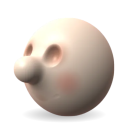
A lump of clay in a quiet room. Drag on it to work it with the tool in hand; drag off it to turn it round. Grab a nose and stretch it out like a cartoon's, press the eyes in, build the ears up, and paint the cheeks.
Nothing to learn first: seven tools, each with its name under it, and Undo is always there. You can't break it.
- Pull a pinch of clay out and drag it: a nose, an ear, a horn. Hook keeps the pinch plump; Stretch spreads the pull across the clay.
- Bump, Dent and Smooth build up, press in and even out, with Mirror copying everything to the other side.
- Paint in eight clay colours, or your own, or one lifted from the clay. On blob clay a brush can be a square or a ring, with a hard edge, and can keep to one colour.
- Three kinds of clay. Mesh keeps crisp detail, best for faces. Blob joins itself where two parts touch, and can be dug right through. Fine is a blob with smaller cells, for thin walls and small parts.
- The Shape tool (on blob clay) flattens, cuts and builds square blocks, grooves, stamps and textures, trims and slices, turns a vase on a lathe from a drawn profile, and picks up a part to move, turn or scale.
- Measure it as it will print: tap two points for the distance between them, one for the wall behind it, and see how far it is from symmetric. Nothing it does changes the clay.
- Look at it other ways: plain clay without the paint, kinks, folds and ripples, or with a reference picture behind it.
- Print it. Download it as STL, or 3MF with the paint, at the size you choose, with a flat bottom to stand on, solid or hollow (with a hole for the resin to drain). On blob clay it checks the walls for parts too thin to print.
- Share a link. The whole sculpt travels in the link, in the part of it that never leaves your browser.
- On an iPad the tools stand by the Pencil's hand and the sliders by the other. The Pencil sculpts, a finger turns the view, two fingers tap to undo, three to redo, and four hide every control.
- Keys work too: 1 to 7 pick a tool, [ and ] the brush size, M the mirror, Shift and a number a view, and ? lists them all.
Information
- Made by
- Ricky Metz
- Size
- —
- Category
- Games
- Works on
- Any modern browser with WebGL: phone, iPad or desktop
- Offline
- Yes, once it has been opened
- Price
- Free
- Made with
- Plain JavaScript and WebGL; Manifold to make a print ready
- Updated
- —
- Screenshots
- —