Every idea, on a phone.
Swipe a row for its screenshots, tap one to see it big. The most recently changed come first.30 ideas
-
One card: turned over, said, and onto the pile A verb and a person: say the form out loud, then tap the card The answer where the verb was, the meaning, why it looks that way, and a sentence The whole table of any verb in any tense; tap a row to hear it Eleven tenses, open one at a time as you learn them, or early by hand
-
Tap each set as it’s done; the rest timer starts with it Every day on one page, every lift in it: what was done, and what each weight moved since last time Write it the way you’d note it, and see last time beside the sets A set short? Tap it again for the reps it took, or its own weight: a step, a jump, or typed Swipe a lift to move it: out of its superset, into another, or to the accessories Done: the day as you’d share it, accessories after the main lifts, a plus where it goes up next time Each lift’s heaviest set, one-rep max and volume: tap a day to read it on every chart Progress: every lift at a glance, and the muscles worked this week Paste your notes, or a Strong, Hevy or FitNotes export: it shows how it read each line Light, dark, or your phone’s: chosen at the foot of the page
-
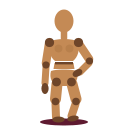
A pose coming together: drag a hand and the arm follows, drag the hips and the weight shifts, walk round it 65 poses after sculpture, fashion, ballet and fighting games: tap one and the figure takes it Tap any part to turn its joint by hand; the hands have shapes of their own, a claw to a pinch Five studio lights, Caravaggio's one hard light among them, or drag the sun round the figure Values: the figure in two, three or four tones, the light and shadow as a squint groups them A daily exercise: one pose a day, the same for everyone, about 13 minutes The study, the clock a guide: when it's done, the day's aid shows over the figure to check against
-
Updated · Launched
Brainrotpedia
Swipe up for the next fact: each one read out, captioned word by word, over its own 3D A typhoon gets a storm chaser racing a tornado; a volcano, a flood and an earthquake get rides of their own An element gets a Bohr atom with its own number of electrons, and its tile from the periodic table Books and writers get a pop-up book, its pieces folding up from the gutter as the page opens Space facts fly through a made-up solar system, past asteroids and planets Food and things go under the hydraulic press Battles get a sand table: red and blue advancing, guns firing, a siege ringing a walled town Films play on a cinema screen (the article's picture, when there's a network) People get an endless domino run, or first-person parkour; the heart saves the fact The comments: half noise, half real sentences from further down the article Everything you've hearted, kept in this browser Caption size, narration speed, reduced motion, captions only, and which themes are in the feed
-
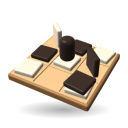
The opening of a game: stones go down, then a stack moves and grows Home: Quick Play, a custom game, the credits and settings, and eight short lessons if you're new A custom game: who sits where, the board, and the options Each player picks a look: Billow and Shard are Ricky's own 3D-printed pieces Billow against Shard on a checkered oak board, each player's panel facing them across the table Lift a stack you top and the squares it can reach light up Press and hold any stack to see what's in it, top to bottom A road from a1 to e1: the win, the points, and the running score The game archive: who has beaten whom, and every game to replay, kept on this device Eight lessons, one move each: this one spreads a stack across the board
-
Launched
Jailbreak Golf
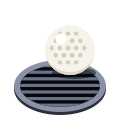
B1, the Cell Block: roll through the light all you like, but never stop in it Lights out: you're a golf ball, and the only way out of here is down Drag back and let go, the way you'd pull a slingshot The Laundry: drop into a cart gently and it carries you, hidden The Kitchen in Scout: the whole floor, and where every guard is headed The Workshop: make a noise outside the din of the presses and the alarm lamps come on The Boiler Room: steam hides you while it blows, and carries you The Sewers in Scout: the water carries you, but a drifting ball is easy to see The night's scorecard so far, and any floor you've reached to play again Out under the wall: the night's strokes against par, ready to share as a paper scorecard
-
Updated · Launched
Midnight Drive-In
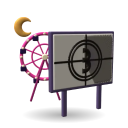
A turn on the Ferris wheel, looking out over the lot to the screen You come in at the Fairground gate, under the marquee, the promenade ahead with its rides and lights The promenade loops round a green, every ride's entrance on it under a lit arch Watch the film from the top of the Ferris wheel: your car stops there, the lot goes quiet The Night Owl's lift hill faces the screen too: Watch the film and your car waits at the top Find a spot in front of the screen and watch: it plays films around the clock Starlite Row: eleven games, tickets for playing them, and a prize counter Every game is played up close, with a high score board that remembers your initials Bumper cars: a minute of tag for the star against the regulars Twelve holes of mini golf, par 32: a ramp, a sweeper, a tube under a wall, and the course record up on the starter's hut Vi at the prize counter swaps your tickets for prizes. The staff, the regulars and folk out for the night all talk A carousel by the picnic grove. Climb on and ride it as long as you like
-
A ball made into a face: a nose pulled out, eyes and a smile pressed in, ears built up with Mirror on, rosy cheeks A nose pulled out with Hook, eyes and a smile pressed in with Dent, ears built up with Bump (Mirror makes the second), cheeks painted New, from the menu: Mesh, Blob or Fine clay, then a ball, an egg, a head or a slab, or a mug, bowl, gear or vase already begun. Undo brings the old clay back An armoured trooper in fine blob clay, opened from a link: anyone can carry on with it. Size and Steady stand down the left edge Print: the size it will be, a flat bottom to stand on, solid or hollow; STL, or 3MF with the paint, under Printer settings. The clay steps up out of its way Focus: every control steps aside but one, and the whole screen is clay. A four-finger tap does it too
-
Round 7, on Ada's phone: the 3D Lock-On Reveal, as it plays Home: open a room, join one with its code, play against bots, or make this screen the table How a round works, on the home screen Refit: fight over the shared Charge, or fund your ship's ideas in Engineering. Nobody sees what you chose until the reveal Scavenge: roll, reroll once, claim a tile your dice make (a pair gets a Spark). Two captains claiming the same tile get nothing Engineering: your ship's ideas in three lanes, Common, Uncommon and Rare, each with what it needs. Buy as many as you can afford Any command, up close: what it needs, what it does, what it costs Engineering: keep a die for the Command Phase, pick what to buy, lock in The Refit results: who claimed what, who was contested, who bought what. The feed opens by itself under the sweep Command: the viewscreen up top (the sweep, and one ship's feed in 3D). Five public dice, two rerolls; the commands your dice make light up Your commands are a hand of cards in one row, the lit ones first. Pick one, pick a rival to aim at, lock in. Nobody sees it until everyone has The viewscreen: the long-range sweep (the fleet closes in as the Charge runs dry), and a feed of one ship: Forgelight, its real 3D ship, damaged to its hull. Tap any contact to watch it Game over: 15 VP from reactors, or the last ship flying. The host can start a rematch After the reveal: who fired what at whom, and what it did The 3D Lock-On Reveal on a phone: every command flips at once and the shots fly, in each captain's color Everything has landed: badges on each ship, and a log along the bottom, worst first Play against bots: no room, no network. Each captain always plays the same way A room: the host's phone shows the code and a QR code; bots can take any free seat
-
Updated · Launched
Jellybrawl
Just this phone: the game live on top, the controls below, like a DS Joining: scan the QR code, type a name Add your face: a selfie or a doodle The VIP's phone: one button, Everyone's here Accessibility settings: motion, CRT filter, text size, color-blind shapes… The VIP picks on their phone… …and everyone else votes on theirs …while each phone shows its player's role, and READY …on their phone …from the waiting screen …and a rematch button for the VIP A phone that isn't on the TV's Wi-Fi is asked how it's playing
-
STOP, a curve, a hit, on a phone held upright Join with the code on the TV, or play solo against bots How to play, the first time A face for your figure: a selfie, or drawn with a finger Solo: how many bots, and how good Your thumb down anywhere is the stick; the camera keeps the ball ahead IT, with the ball: call STOP (or shout it) Aiming: hold the pad, then swipe; the trail shows the throw it reads (gold: a curve) Frozen, IT's eyes on you: plant a foot to pivot, or duck Hit: knocked flying, with the broadcast's caption
-
Updated · Launched
Sock Puppet
Pip reads a script with mood tags: happy, sad, angry, surprised, happy again Type a line and tap Say it. The caption lights up each word as it's said The puppets: Pip, Bolt, Mochi, Monolith and Sprocket, each on a set of their own Bolt, a robot talk-show host, behind his desk Drop in an audio or video file and Sprocket lip-syncs to it Scene: a tall frame, and Monolith holding a mood from the row of faces Footnote, an owl sculpted in Klay, in his library after hours
-
Walk the world; someone spots you, and it is a battle: your card and theirs, on the table The Journey: you are a census taker. Walk Census Town by tap, drag or arrow keys Everyone has something to say, and anyone who spots you may ask for a fight Each place wears two of Inkfolk's inks, or one: this is Gym Town, with its park The ledger counts the 33 people, one for each starter, as you trade cards A stamp book to fill: story stamps, errands for townsfolk, and odd corners with something to read Townsfolk have errands: carry a form, fetch a roll, find a whistle. Each one earns a stamp or a key The To do page says what you are carrying and where it goes Under the City: the Metro does not run, but somebody still keeps the platform clean Make a trading card that's yours: you draw it Two of the three colors are dealt to you: pick one Pick one of six. Each ability brings its own toughness; rare ones shimmer Never a blank page: a faint shape to draw over Your color's shades, plus black and white. Hold still to snap a circle; mirror the ears Stamps: eyes, ears, a grin, a heart. Drag one into place; one undo takes the whole stamp back Premade backgrounds in your color's shades, quiet enough to draw over. Brushes, shapes and patterned fills have their own tabs Your card, in 3D: turn it and the gloss catches the light (rare cards shimmer) Tap it to flip it: the back is yours, with your link Battle: your card leads six more on a 3D table. Cards fly in, lunge, and fall when they're knocked out Tap a card to pick it: the lit slots are the legal moves. Tap a card's sheet to look closer
-
Launched
Chore Chart
Type into a blank row and it becomes a chore Start from a household like yours, or a blank sheet Write the chores straight onto the chart Weekly chores get a box a week; monthly ones a checklist Page view: the sheet exactly as it prints Print a month or a year, start the week on any day, pick an accent color
-
A guided Express 15: the timer runs, the figure moves, then a rest Today: what's up next, and the week's goals at a glance Log each set. It tells you what you did last time The week: any program on any day counts toward its goal Progress: your best set each session, against the target range Set your own weekly goals and the suggested week
-
A lump of clay pulled up with one finger, then opened Thrown on into a jug: a full belly, a narrow neck, the rim turned out Carving a ring round the neck Iron red slip, and white slip trailed over it in loops A strap pulled beside the jug. Touch the wall to put it on A pulled handle, and a spout drawn out of the rim Sgraffito through black slip. Drag the wheel head to turn the pot round Dipped in shino up to the beads. The colour comes out in the kiln Inside the brick kiln, at its hottest Finished, the jug goes on the shelf with the last nine Tap a pot to hold it up close and turn it round
-
Drag to a rough year, pick a season, say how sure you are Memories as blurs: the less sure you are, the wider they spread Type @ and the people you've tagged come up A stretch has a start and an end, each as loose as you like Search words or @people; everything else fades back How long ago, and how old you were Photos ride along as small thumbnails Open a memory to see its photos large The entry keeps its photos too: add more, or tap × to take one off Empty years show up as open stretches; tap one and it asks a question
-
Updated · Launched
WordGirl
Polygram, being solved Tap the tiles to spell: the pentagon, and five-letter words Solved: 24 of 24 words · Decagon reached The Normal board: a few letters locked, the rest yours to fill A word that fits but isn't on the list: RAD — bonus word · 4 of 11. The star marks it Normal solved: 11/11 words · 1 bonus The Hard board: every line five letters. 14/14 words · 1 bonus Today's bank of letters, and the mirror A row against the glass: the mirror spells the rest Solved at par: 1 true mirror row The Easy board, and the day's dominoes Two placed: tap a domino, then a square (or drag it); Rotate turns it Easy, solved: every row and column a word The Hard board, solved Today's haiku: its title, “Fox At Dusk”, is the only clue Halfway: the line so far, and the poem filling in above The haiku, solved: 40 letters · 5×8 grid The Poem, solved: 27 letters · 3×9 grid The day's board, and the clue for its row: Row 5: Public personas Sudoku first: whatever is forced, wherever it turns up. Tap a square, then a letter Solved: IMAGES in row 5 · AGEISM in column 6 Today's Beyond A–Z board: twelve cards, and how many sets they hold Two sets found: each card's pips mark the sets it's in Beyond A–Z, solved: 4/4 sets · 1 miss The Faces board: one letter in three typefaces, the face now the thing that varies
-
A cast, a bite, and a reed perch swung in to hand, then its card The float out on the water. Wait for the dip A carp on: hold to reel in. It fights, but the line never breaks Its card: the drawing, its length, where it took, and a first for the logbook The logbook: every catch taped in, best lengths, and the fish still to meet Dawn, clear: the paper warms. The clock where you are sets the hour Day, clear: a first visit. Pull back and let go to cast Dusk in the rain. The day's weather is the same for everyone Night in fog: the page goes dark and the ink goes pale Tap the bank to walk it. Under the willow, something's lying in the grass to pick up Places: the pond, then the pier and the loch, each opened by what you've caught The pier: an iron pier off a little town, the tide coming and going under it The loch, from a rowing boat, fished with lures between bare hills
-
Updated · Launched
Public Screening
Search a name, open a film, press play: it streams from the Internet Archive 1,186 films, best rated first One box searches titles, directors and cast: Keaton directed some, starred in more A film's panel: year, length, IMDb rating, a line from Wikipedia and Watch here Tap any tag for more: the director, the cast, the same decade Filters: genre, decade, rating, director, actor, length and whether it plays here
-
Launched
Field Guide
In the guide: Claude interviews you about a chore chart. It asks, you pick, a plan comes out The opening page: what the guide is, what you need and how long it takes The quiz: six questions sort your idea into green, yellow or red First session, level 0, in the Claude app: a drawing of each screen you'll see First session, level 1, your own site: signing up for GitHub, screen by screen The build loop: interview, research, prototype, refine, review, test, ship, and around again In the guide: a game of mine on day one and today, on a slider you drag The card at the end: the whole process on one printable page
-
Two rounds of Europe: tap the place, lock it in, see it in context, next A globe with no labels. Find Egypt Found Egypt: its neighbors, cities and nearby landmarks light up around it Well off: Honduras lights up with its capital and neighbors, and the parallel it sits on A few rounds after the miss, Honduras is back The menu keeps score: Honduras, missed and then found, counts as fixed Stats on day one: the map fills in as places go from new to solid
-
Updated · Launched
Die Loaded
A boss's last throw, on a phone The title screen: a sepia desert, and the Deal Me In button How to Play: Chips × Mult = Damage High Scores: every run, with its territories, charms and tricks Options: sound, pips or numerals, an accessible font, text size, handedness Each showdown opens on a wanted poster: the outlaw, their bounty, their HP The deal: the scorecard already reads your best hand, and what it would do Keep what you like, reroll the rest (usually twice a throw) Shoot: each die's Chips count up, then the hand's Mult, and the outlaw's HP drains Mini-Boss: Noose-Knot Ned, with a House Rule: “A die you keep locks for one throw, then releases.” Pocket one die: its face carries to your next throw, but it can't be rerolled Boss: Plainsong Parson, with a House Rule: “Charms are disabled this table.” The round's tally: its hands, bonuses and bounty The General Store: charms, tricks, matchbooks and house dice Hover (or tap) to read an item; click (or Buy) to take it Your inventory: charms, tricks, matchbooks and every die in your bag Strike a matchbook: pick a die, then the face to re-cut The Devil's Table: the Dealer, in the first of his three forms This Isn't My Final Form: no store between his forms, and a new House Rule: “You field only four dice.” Final Form: no store between his forms, and a new House Rule: “A die you keep can't be let go.” Boot Hill: buried in Cinder Gulch, with the run's recap The Dealer folds: you walk away with your soul
-
One box breath: four in, four held, four out, four held Pick a pattern and tap the circle 4-7-8, with the timer showing: the hold after a four-second breath in The physiological sigh: a breath in, a second sip on top, a long breath out Every pattern comes with what it is, what people report, and where it's from Eight patterns: Box, 4-7-8, Coherent, Sigh, Triangle, Long exhale, Equal and Wim Hof
-
Search, open a film, and watch it without leaving the page 8,038 films, the most viewed first Filters: a subject, and a length slider drawn over how long the films run Search reaches titles, descriptions and tags Each film opens in a panel: year, views, description, and a Watch here button List view, oldest first: the catalog starts in 1903
-
Updated · Launched
Container Compound
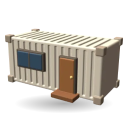
Adding units: pick one from the list, tap Move, tap where it goes Turned sideways, the whole compound fits a phone: eight units, two decks and the running total Eleven units to choose from, each with its size and a fitted-out price The summary: what's in it, what it checks, and what each unit costs And what isn't in that number: well, septic, power, foundations, permits The same compound in 3D, on a Virginia acre with its trees and drive
-
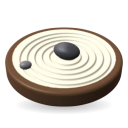
Chanting “I stay calm”: each rep rakes a groove, and at forty a ring closes A first visit: a haiku over the sand, and five old stones raked before you came A new stone: say it as if it's already true. The words shape the stone Chanting: every rep rakes a groove around the stone, every ten a ring Back in the garden: the stone keeps its count and its rings A hundred: the rings glow, and a new round can start Opened again: a stone of yours beside the oldest one, with a hint while the garden is young The garden at night, raked in waves
-
The graph settling, then finding one person on it A new notebook starts with a passphrase. Nobody can reset it One person: their details, the circles they're in, what to ask them next Notes about them. An @mention links two people, and shows on both Everyone, with the follow-ups coming up Search looks through names, details and every note Lines are relationships; dashed ones come from @mentions in notes Locked. It locks with one tap, or on its own when you leave. Everything stays encrypted
-
A trick: four cards land and the highest power takes it. It's the second trick, so the market ticks as it's taken and every card's power moves The lobby on a phone The waiting room, on the phone that joined The rule draft on a phone Playing a trick on a phone: the table above, the hand stacked below Round scoring on a phone Leading on a phone, in round 2 Game over, on the phone
-
Drawing an Area on the satellite photo with one finger, then paving it with flagstone A picnic terrace planned in Byrd Park, Richmond, on its satellite photo An oak goes in 40 feet across, as big as a real one Every area knows its size, its square footage and its perimeter Eighteen ground covers, from grass and mulch to pavers and water A path drawn with one finger, smoothed into curves A dimension line across the terrace, and the ruler to the building Labels where you want them Layers: everything on the plan, to hide, lock, rename or reorder The Library: 69 things to place, each drawn at its real size Export a PNG, a PDF to scale, or the project file to share Type an address and pick it from the list Start from an address or a blank project; your projects stay in this browser The editor on the homepage, with a demo plot in Byrd Park, Richmond The plotcraft.io homepage on a phone